Get updates on automation trends and real-world solutions. Join our newsletter
CASE STUDY
Flight Ready Learning for Future Aviators
A responsive learning platform that gives aviators realistic practice tests with thousands of questions across chapters — built for PPL, ATPL and DLR assessments.
Realistic Practice Tests,
Built on an Organized Question Bank
ATPL is a platform that gives aviators realistic practice tests with thousands of questions from different chapters. Test takers can check what they’ve learned through online practice exams — and if they get a question wrong, they can review it and return later to practice it again. Instructors and admins can quickly set up courses, manage question banks, and keep all training material organized in one place.
Questions managed
1000s
Exam Standards
3
Dedicated Portals
2
OVERVIEW
High Performance Learning for Tomorrow’s Test-Takers
The platform manages thousands of questions with bulk tools, provides real-time tracking of student performance, and offers clear analytics to improve teaching and curriculum.
PPL
Private Pilot License
Foundational exam-style question sets.
ATPL
Airline Transport Pilot License
Full chapter and section coverage.
DLR
Deutsche Luft- und Raumfahrt
Airline assessment style preparation.
Unlimited questions. Repeatable chapters. A runway of practice before the real thing.
The Vision
Train Like You’ll Fly. Ace Like You’ll Soar.
Platform Vision
01
Strategic value
Give users the same advanced tools, analytics and adaptability as top-tier institutions.
Adjust to each learner’s unique needs in real time for better-prepared, more capable pilots.
Equip learners to handle difficulty, pressure and responsibility before they set foot in an aircraft.
Learner Goals
02
For test takers
A training environment that replicates real exam conditions — nothing feels unfamiliar when it counts.
Freedom to revisit tough questions, skip ahead, or drill into specific topics.
Spot patterns early, adjust approach, and strengthen weak curriculum areas.
Instructor & Admin
03
For training providers
Build and organize courses, question banks and tests with bulk uploads and easy editing.
Spot trends, understand where learners struggle, and make data-driven decisions.
Manage users with role-based access and activity logging as scale grows.
PROBLEMS AND SOLUTIONS
Solving the Gaps That Prevent Learners from Taking Off
Problem 01
No smart way to adapt the test experience based on performance or preferences — learners wasted time on topics they already understood.
Solution
A modular quiz engine that adjusts question selection based on user performance, preferred subjects or test type.
Problem 02
The system wasn’t built for high-volume access without lag. Pulling questions and calculating results took longer than they should have.
Solution
Optimized relational models with indexing on key elements — questions, quizzes and results resolve instantly at volume.
Problem 03
No reliable tracking of what learners answered, skipped, or how long they spent. The journey felt vague and unstructured.
Solution
A user activity layer logging every interaction, feeding dashboards that show progress and weak spots clearly.
Problem 04
Legacy backend logic from previous developers made advanced features and future growth difficult.
Solution
Re-architected backend with AI tutor and chatbot capability scoped and proposed for the next phase.
RESULTS
Clearing It All with Good Results
We proved we can move fast while still doing things right — a fully functional platform, demo-ready for stakeholders and open for initial user testing.
05
Weeks
From kickoff to a demo-ready, testable platform.
100%
Visible progress
Instant results on clean dashboards showing exactly where learners improve.
02
Separate spaces
An admin interface that never intrudes on the learner’s private study space.
DESIGN LANGUAGE
Distraction-Free, Readable, Test-Ready
Typography
Aa
Poppins
Light · Regular · Medium · SemiBold · Bold
A geometric sans chosen for long study sessions — open counters and even rhythm keep question text readable under exam pressure.
Colors
Teal and blue for an aviation-inspired aesthetic.
Deep Teal
Instrument Cyan
Flight Deck
Ice
Iconography
Clean line icons for a glide-through experience.
ABOUT THE WEBSITE
A Simple Interactive Site for Jet-Smooth Interaction
Each screen has a clear purpose: show future pilots what’s on offer, highlight the real benefits for their training, and guide them towards starting a practice test.
Screen 01
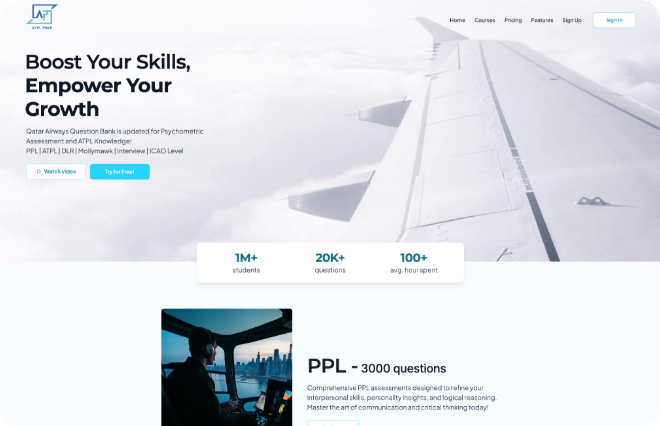
Home
The home screen is the welcome mat. The clear headline of the home screen gives a brief overview of the adaptive learning platform. The strong visuals and short text blocks highlight different aspects of the platform and guide visitors to explore further.
Screen 02
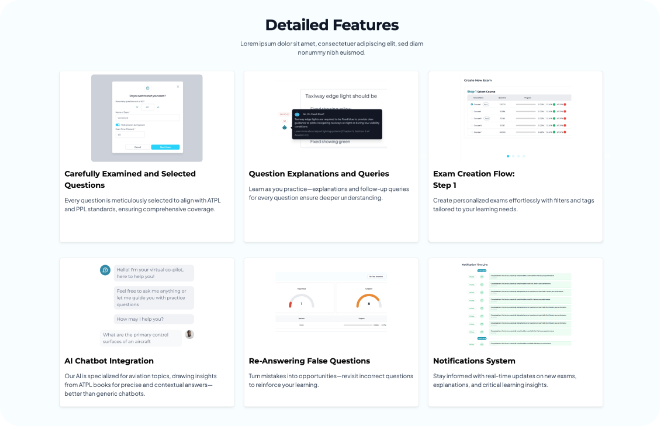
Features
The feature screen explains the dashboard features in simple terms. It breaks down all the details of how the user dashboard works. It’s designed to help you learn as you practice, with clear explanations and follow-up questions for every answer.
STUDENT PORTAL
Practice Smart with Fast Learning
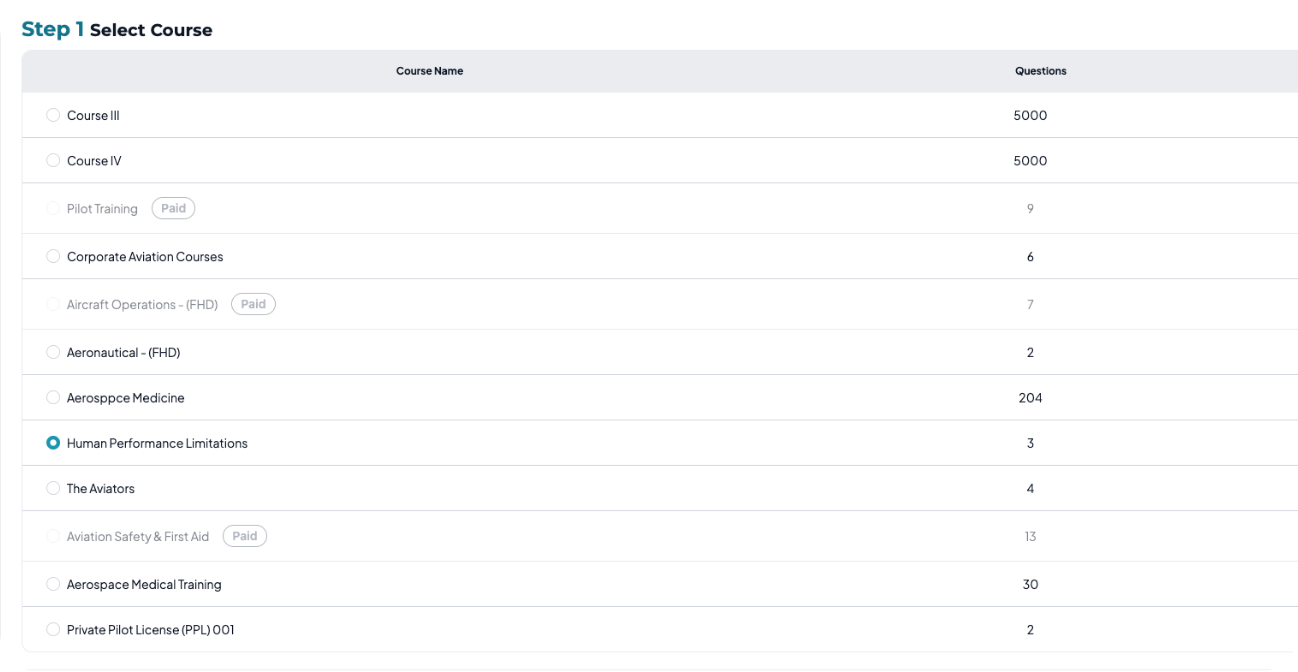
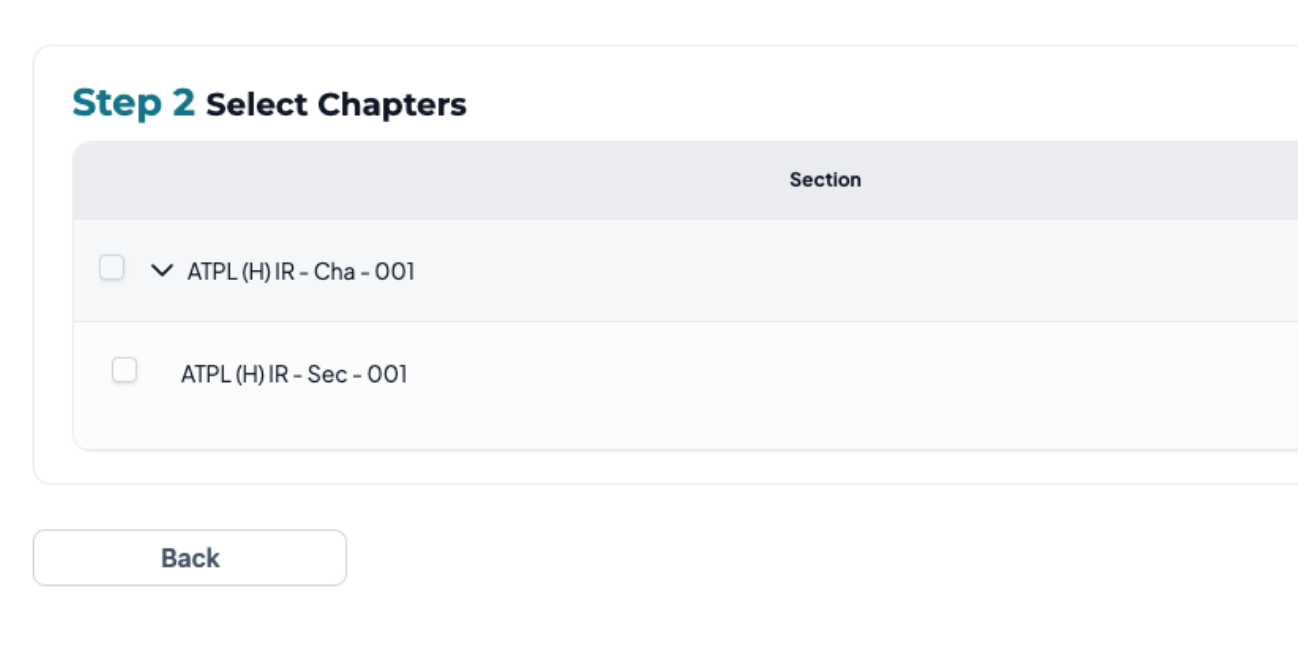
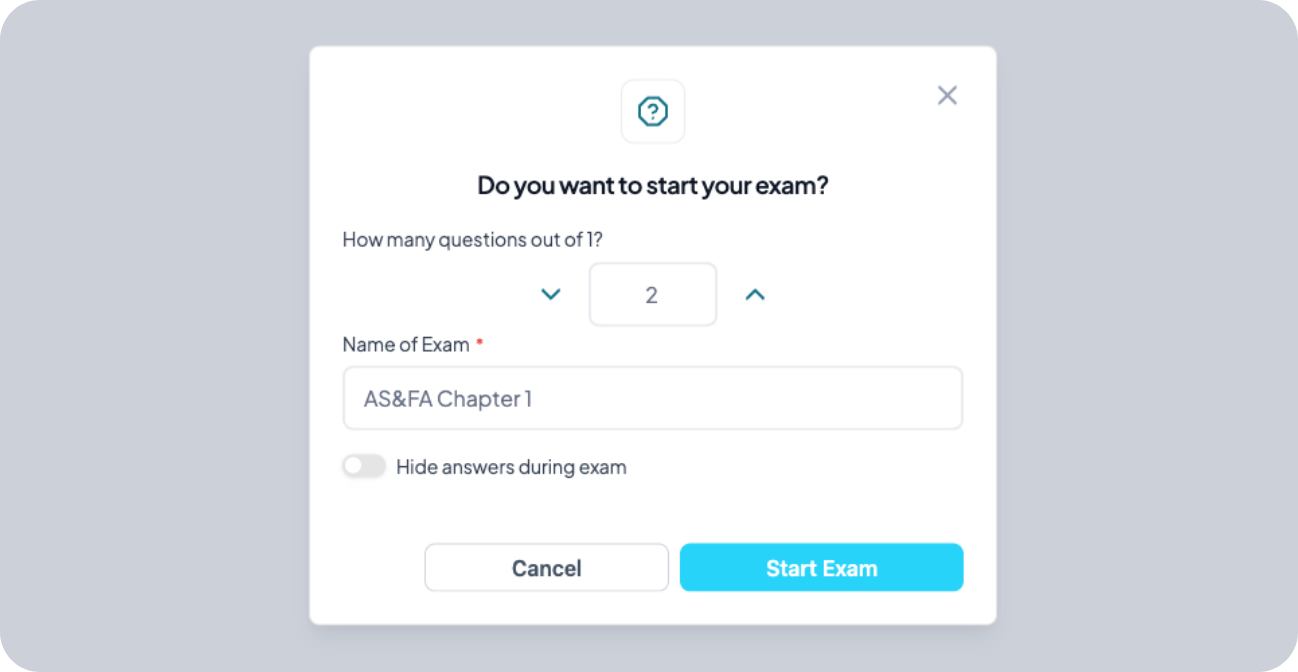
The student portal is the main place for learners to study and practice. They can pick courses, set up exams the way they want, and focus on questions they got wrong. It gives clear feedback, explanations, and reports, so they always know how they’re doing and what to improve next.
01
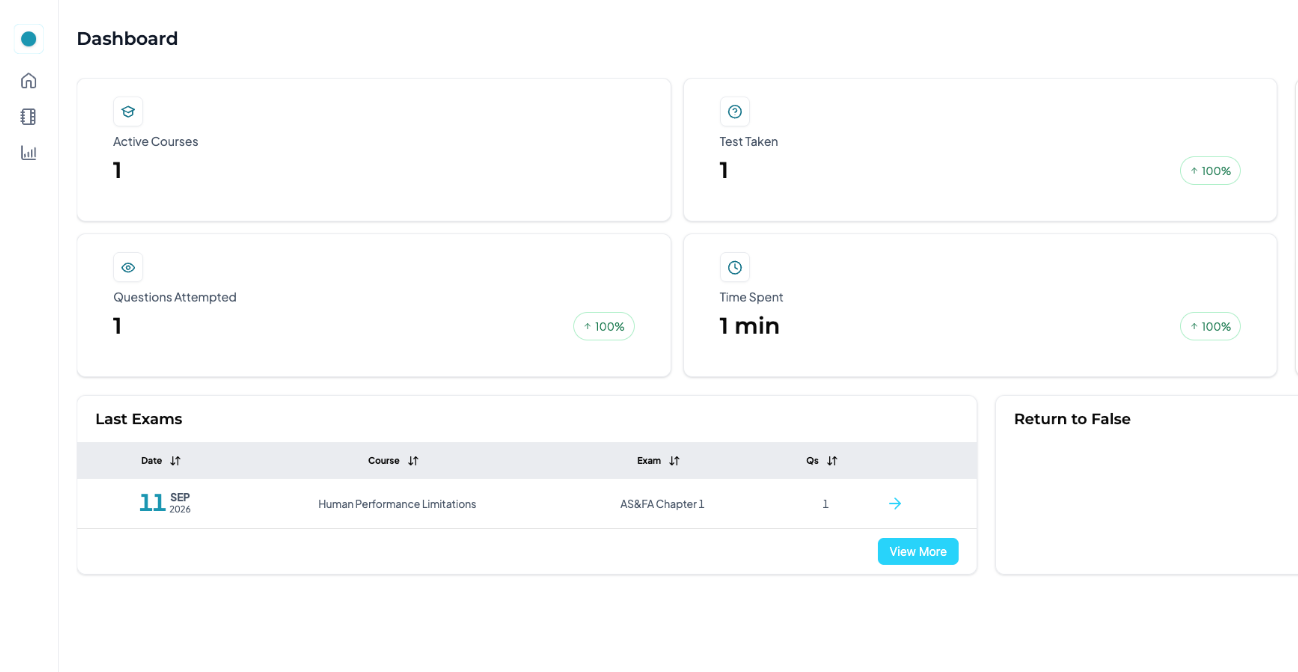
Dashboard
Overview of exams, progress and options with a 7-day free trial for new users.
02
Course
Every course labeled free or paid, with recent attempts and overall performance.
03
Select Chapter
Breaks a course into manageable parts with progress indicators per
04
Exam
Green for correct, red for wrong, skip and return freely, timer running throughout.
05
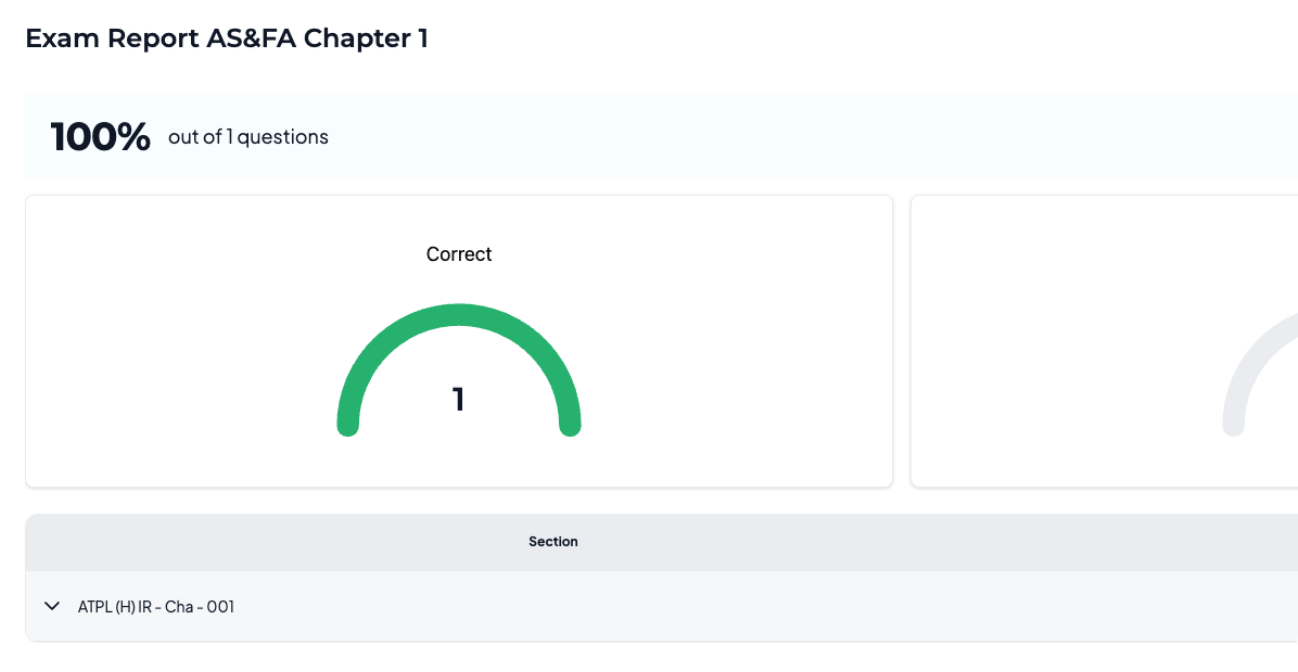
Exam Report
Score, accuracy, time taken and chapter-wise performance. Retake only the missed questions or the whole exam.
06
Analytics
Track your progress with average scores, time spent, mastered topics, and areas that still need practice.
Admin PORTAL
Your Command Center for Managing Learning Experiences
One control center for courses, users and platform settings that solves messy content, scattered user data and manual updates.
01
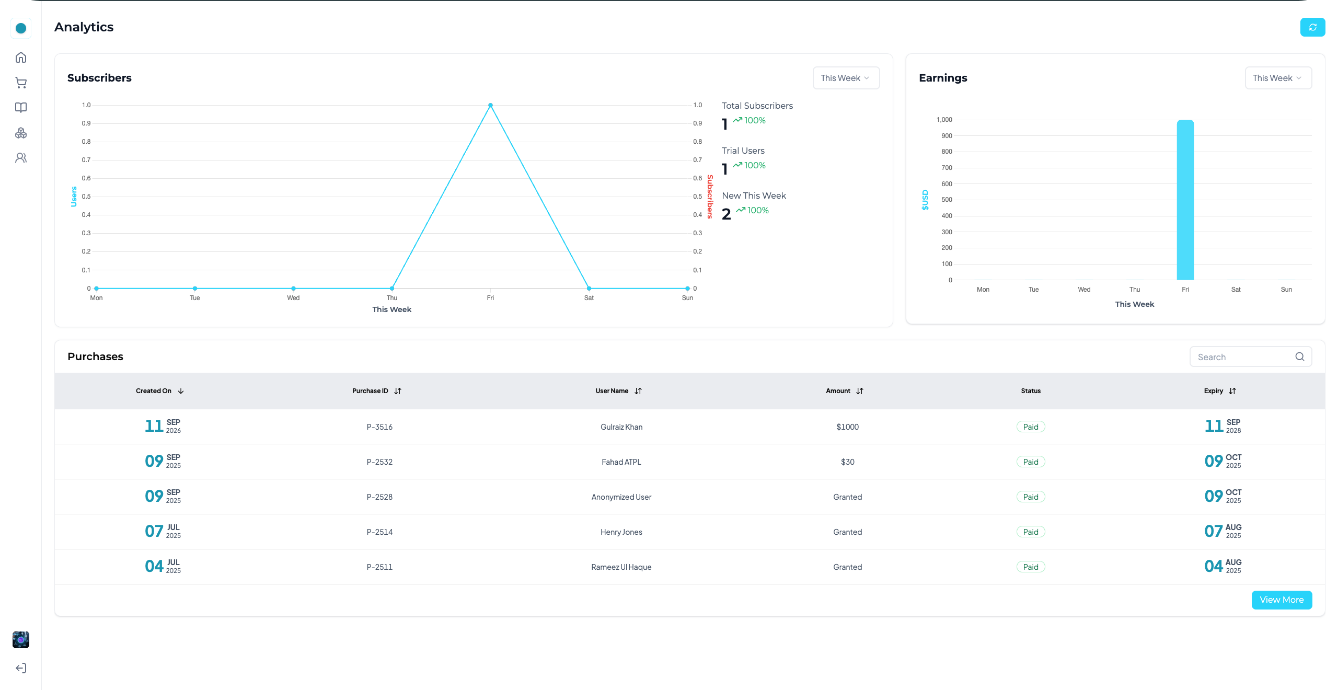
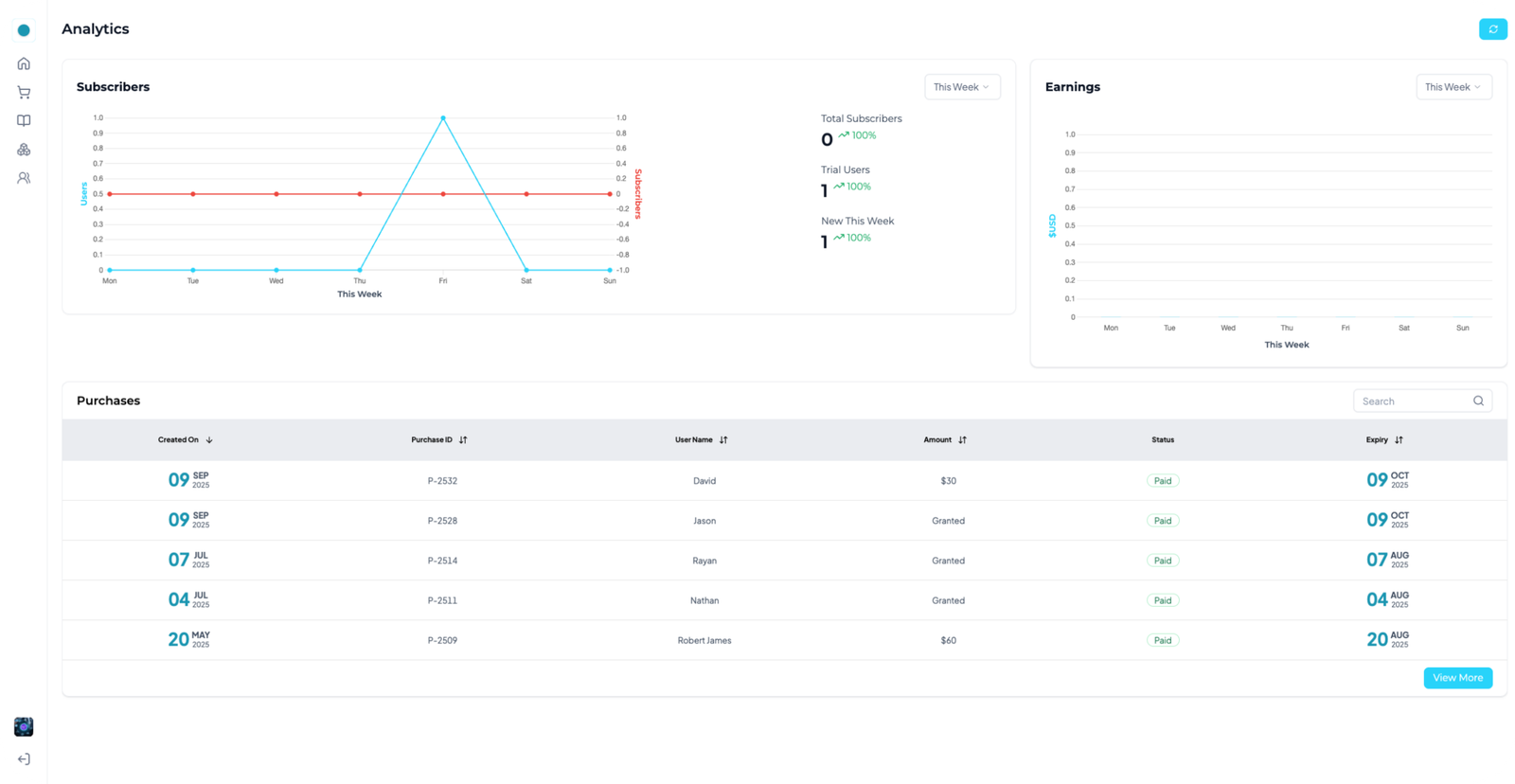
Analytics
Visual insight into active learners, question performance and usage trends.
02
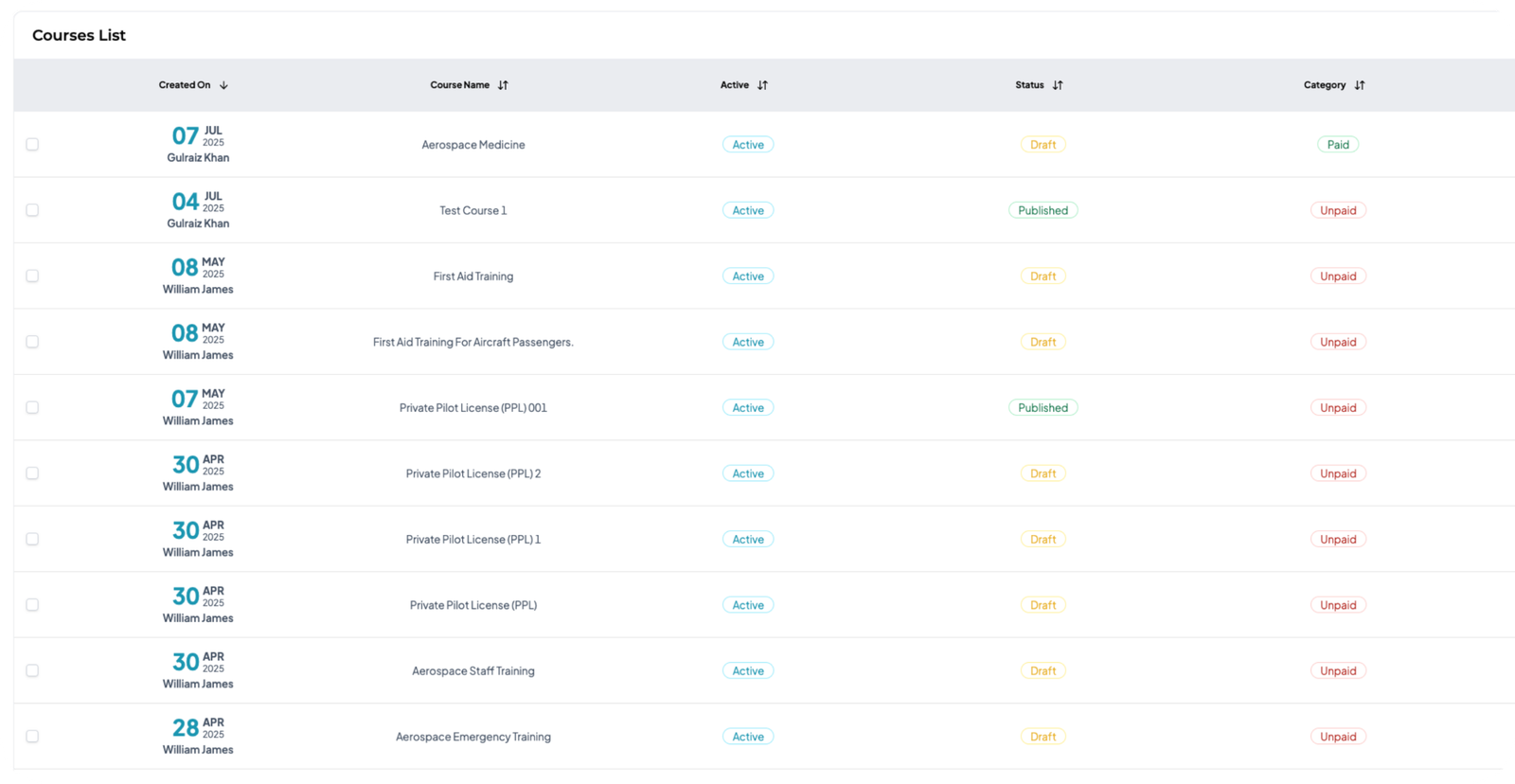
Course List
Active or inactive at a glance, with editing, settings and visibility control.
03
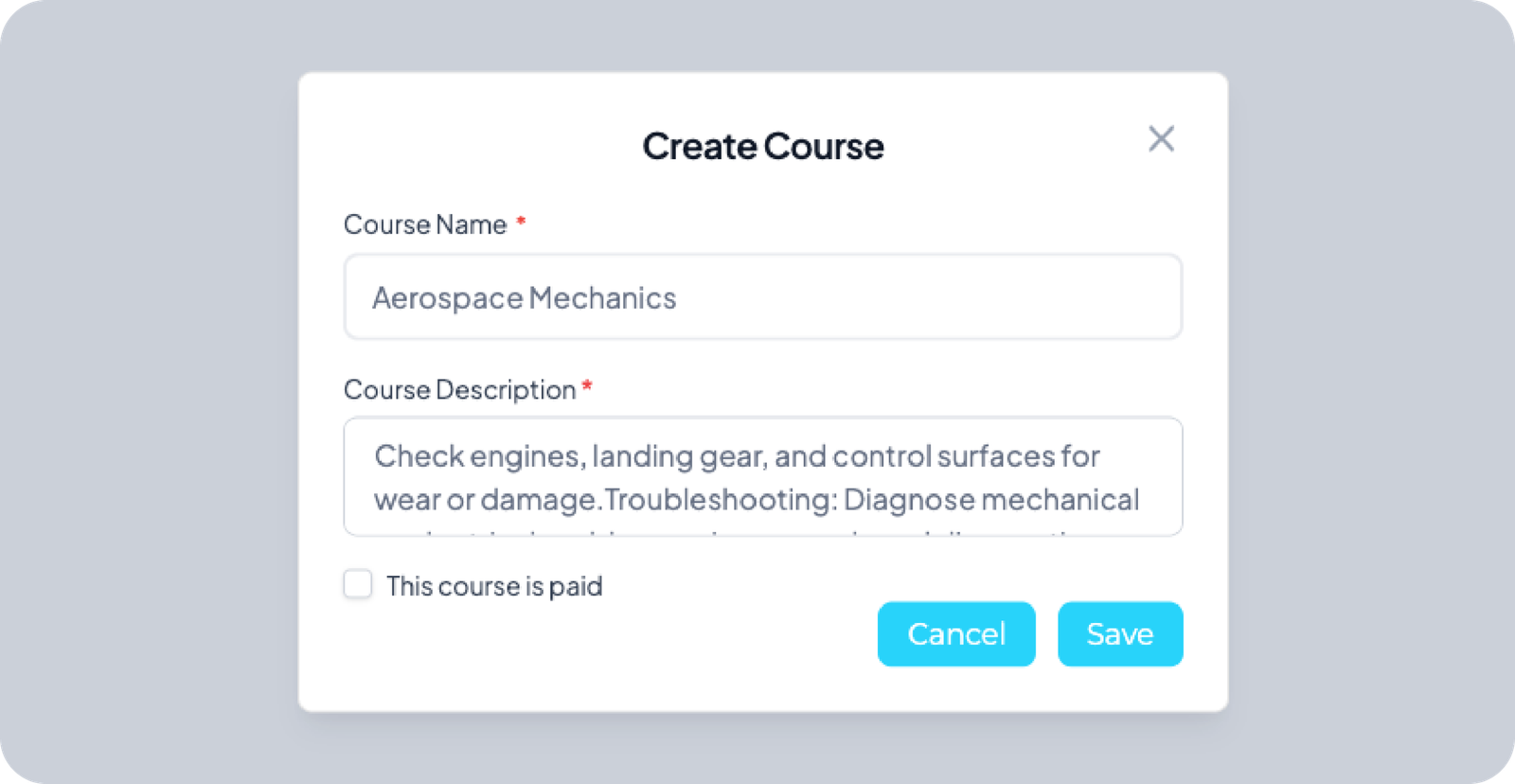
Create Course
Breaks a course into manageable parts with progress indicators per
04
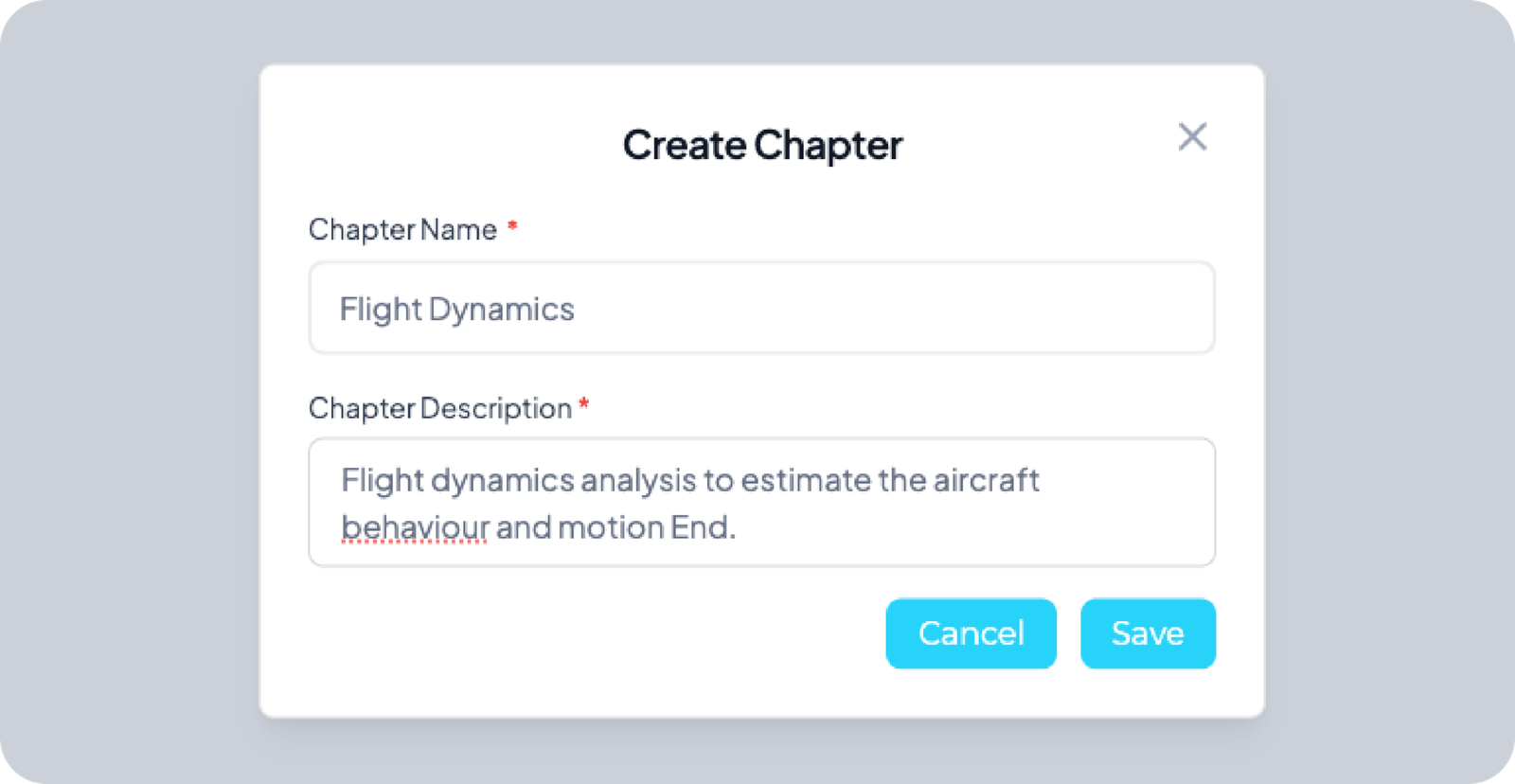
Create Chapter
Break courses into logical parts that guide learners step by step.
05
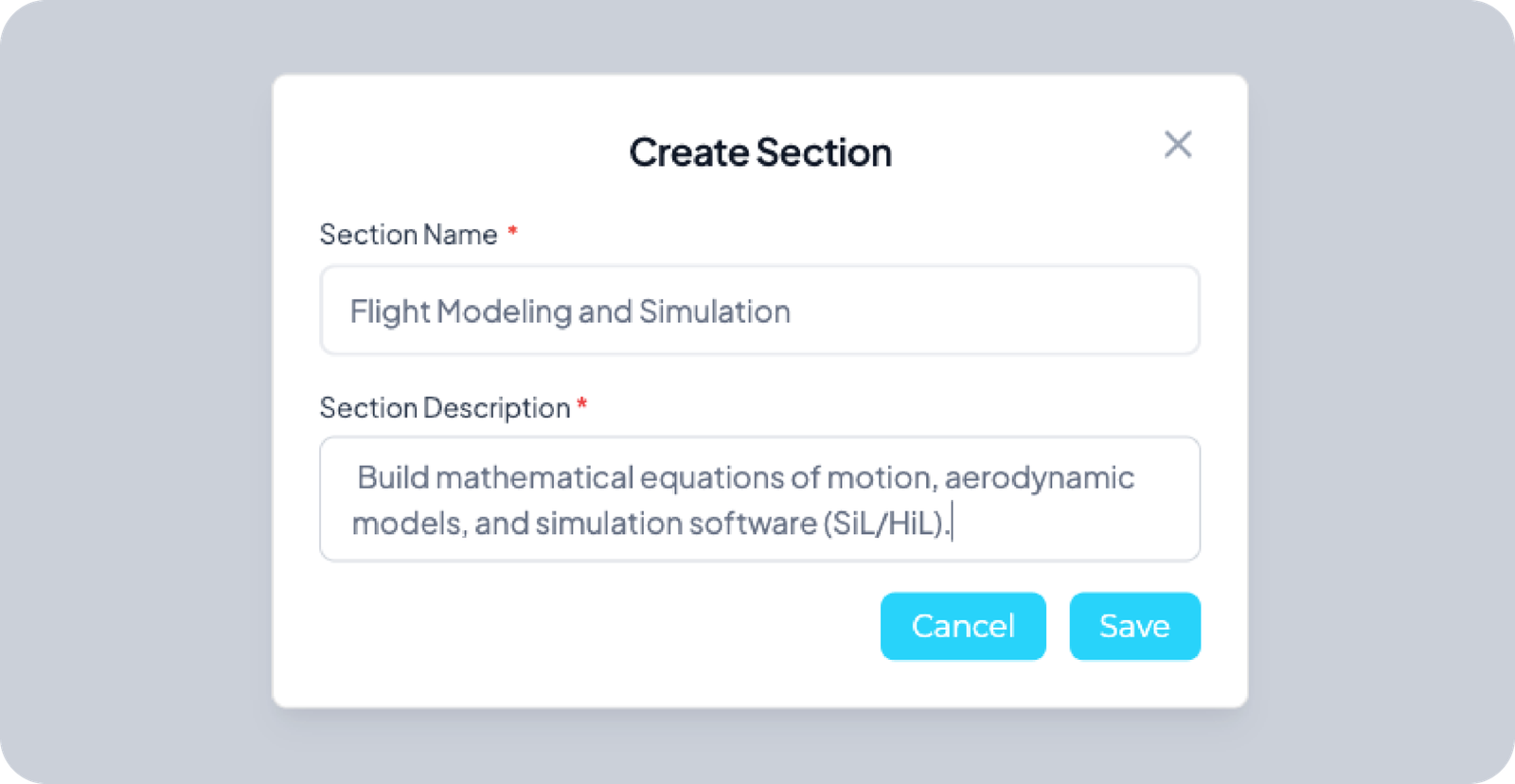
Create Section
A clear name and short description so learners know the topic they’re tackling.
06
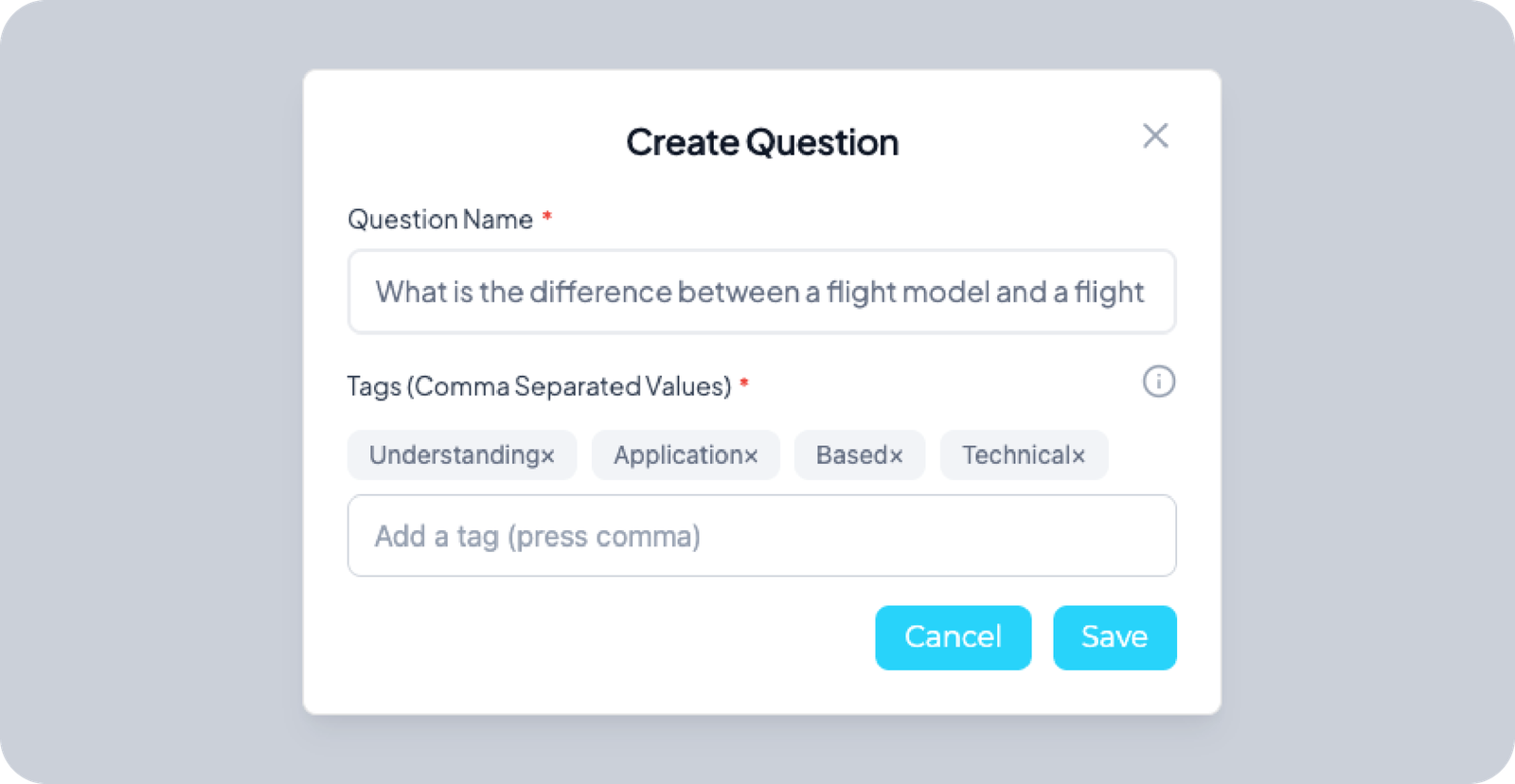
Create Question
Question text plus tags and keywords to keep the bank searchable.
07
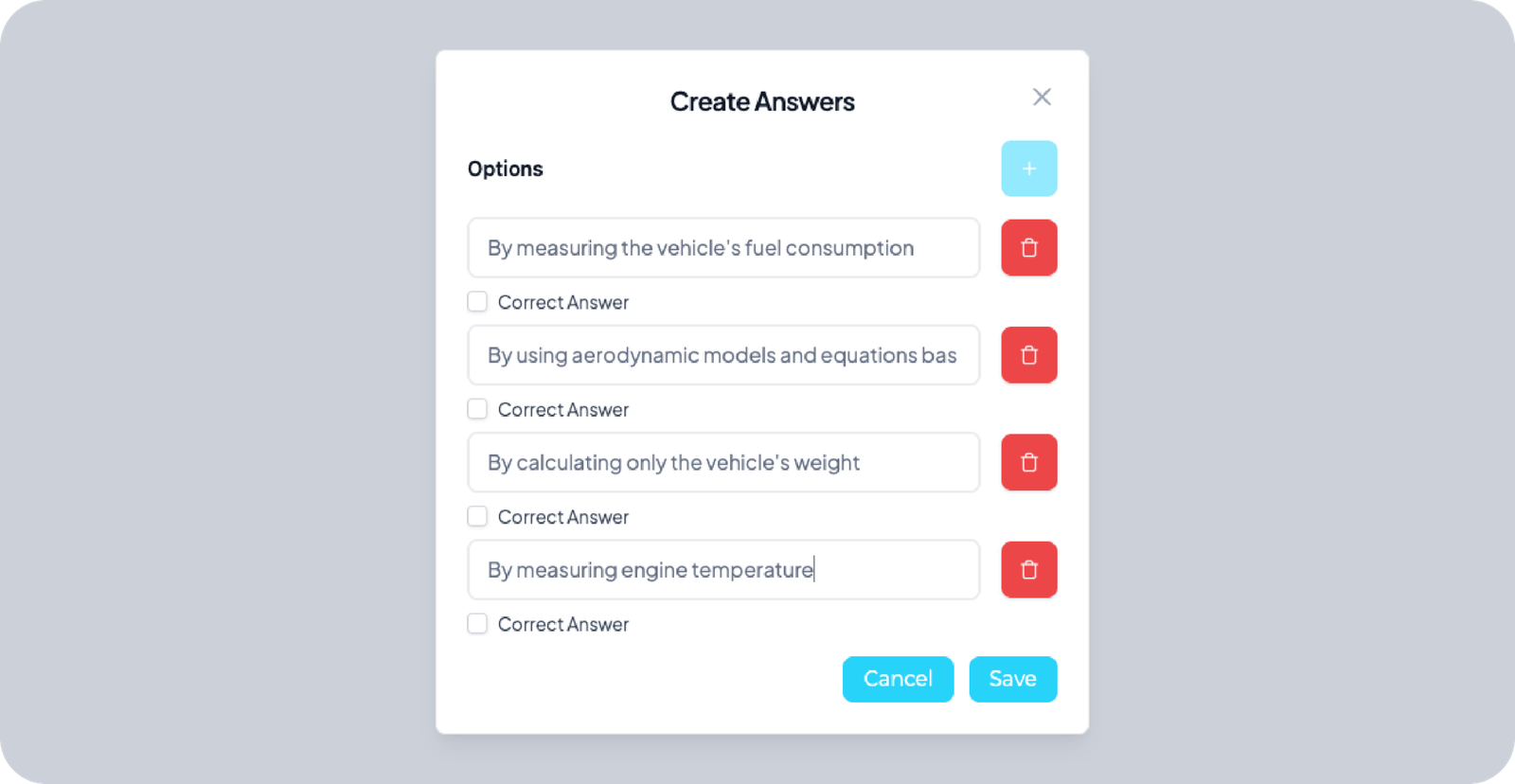
Create Answer
At least two choices — ideally four — with exactly one marked correct.
08
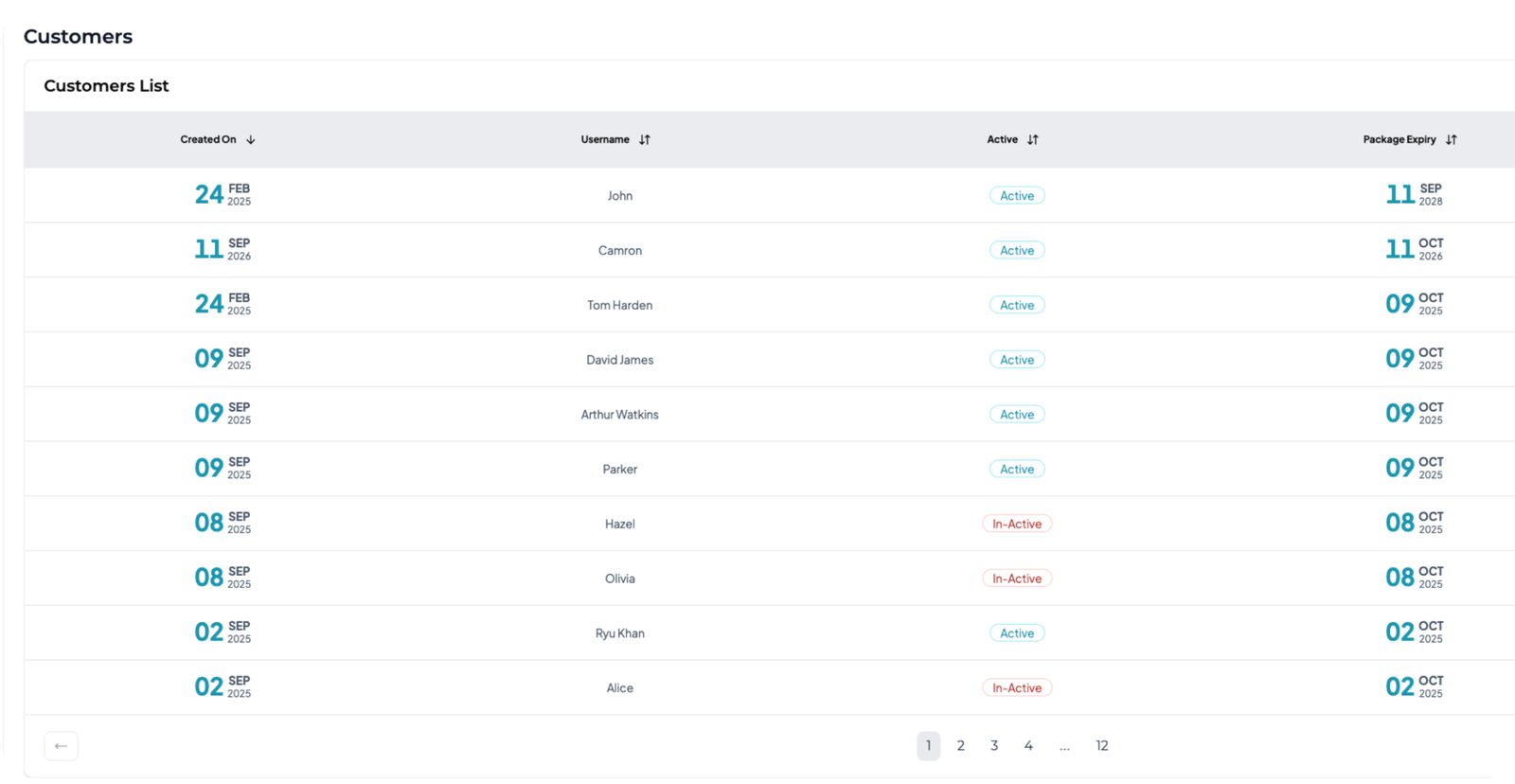
Customer List
Every registered user, with details, access updates and manual package assignment.
Still Running a Training Platform That Solves Half the Problem?
The platform is live for testing, with an AI tutor phase scoped next. Let’s map the same flight plan for your product.